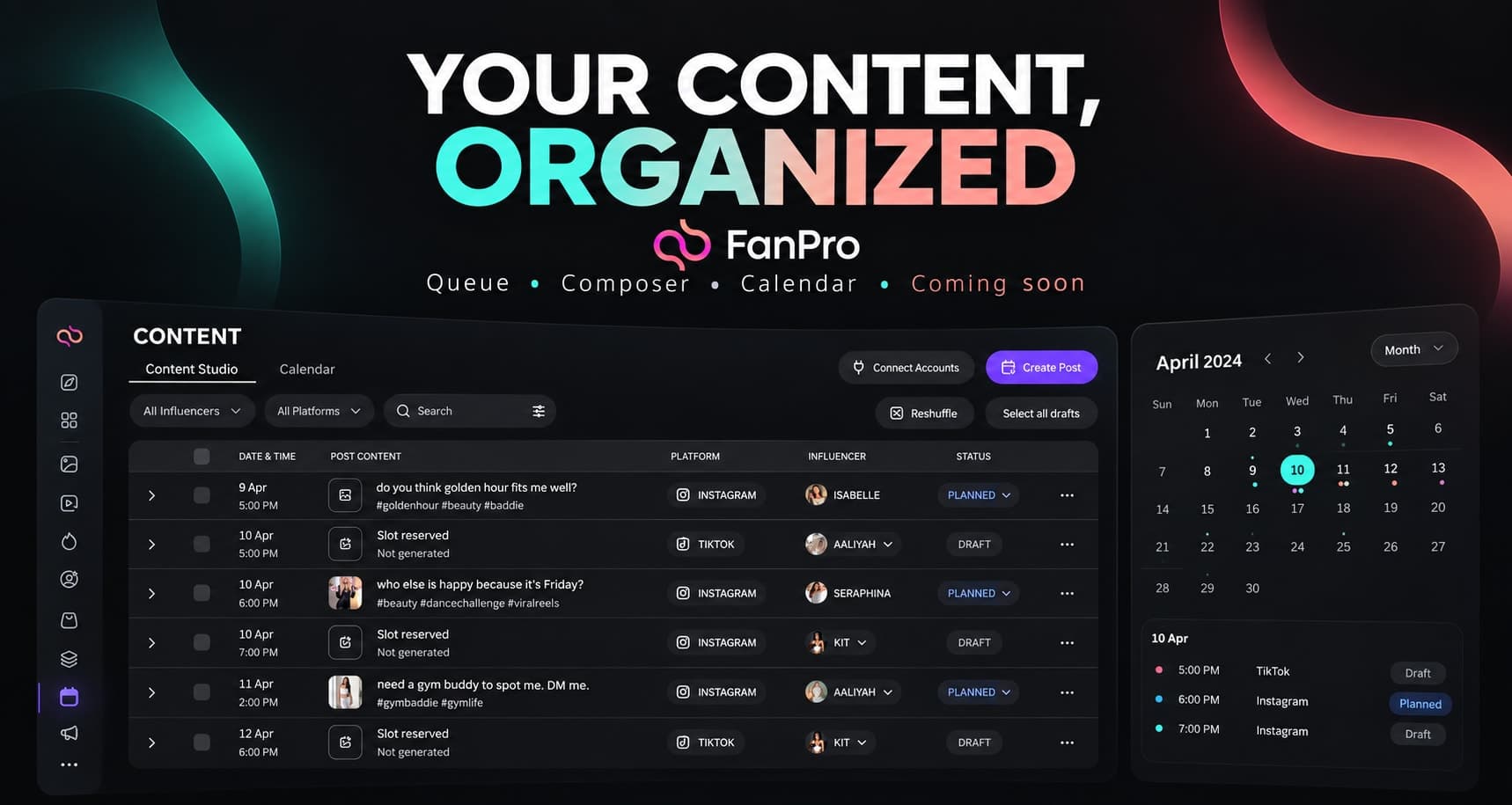

This edition looks ahead at the Content Studio, Calendar, post-creation, and Dashboard designs. These workflows are upcoming and may change before release.
The shared idea is a clearer path from a creative draft to an organized content plan. Here is what that path is intended to make easier to review.
A queue with context
Content Studio presents Date & time, Post content, Platform, Influencer, and Status together. The planned actions include Preview, Edit, Duplicate as draft, and queue placement.
That context matters because a media file alone is not a complete post. The caption, account, format, and readiness state need to be considered together.
Compose and preview the complete post
The upcoming composer starts with Select AI Influencers and Select Platforms, followed by caption and media inputs. Preview sits beside Studio Agent, a planned drafting aid.
The useful habit to prepare now is a review of the complete post: the correct character, a caption that fits the media, and a crop suited to the destination. Draft, queued, scheduled, and published should remain distinct states in your process.
See the week as a whole
Calendar places post cards into a weekly timeline with influencer and platform filters. The Dashboard designs add creator-focused and team-focused views for reviewing work and activity.
Sample figures in the Dashboard designs illustrate the layout. They are not customer results, benchmarks, or a promise of the data that will be available in every account.
What you can prepare now
- Use consistent names for characters and content series.
- Keep final media and its caption together.
- Record the intended account and format for each draft.
- Define who reviews an item before it is considered ready.