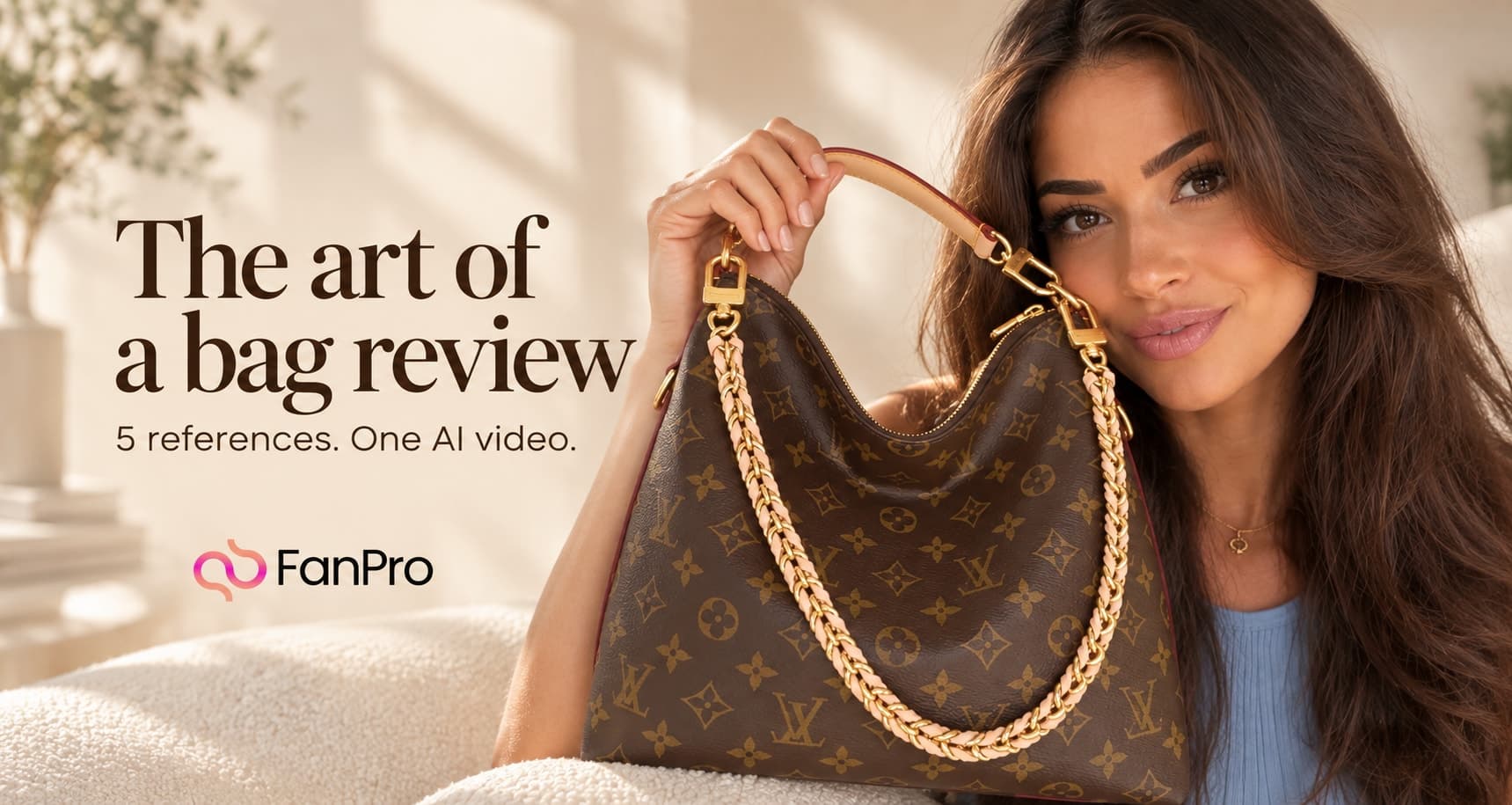

A product review works when the audience can follow both the person and the product. In this Studio Marketing example, an AI influencer starts by reacting to a gift, brings a Louis Vuitton bag into view, shows its details and ends with a short, personal reaction. The whole idea fits into 15 seconds.
The useful technique is reference control. One image defines the influencer and room. Four more show different sides of the same bag. This guide explains how to assign those roles, direct the reveal and review the finished video without losing the product between shots.
Watch the 15-second bag-review example
A bag reveal with one influencer and five references
Read video description
A brunette AI influencer in a light blue top sits on a cream sofa, brings a patterned brown bag into view and holds its handle, chain and opening toward the camera. She finishes by hugging the bag. The video includes conversational dialogue and room sound.
Notice the order: reaction first, product second, details third. That gives the viewer a reason to keep watching. A close-up of the hardware is more useful after the full bag has established what they are looking at. Treat the supplied timings as a plan for the performance; review the generated clip to see how those beats actually land.
Prepare five references that define one product
Choose a clear opening image for your AI influencer. Here it supplies the face, hair, blue top, necklace, seated pose and living room. The bag is deliberately absent from that opening. The separate product references explain what should appear later.
| Reference | What it defines | What to exclude |
|---|---|---|
| @img1 | The influencer, cream sofa, beige wall, eucalyptus and window light. | A bag appearing before the planned reveal. |
| @img2 | The bag’s front, overall shape and pattern. | Its black reference background. |
| @img3 | The side profile and depth. | A second bag or a second location. |
| @img4 | The open interior and lining. | An open bag throughout the entire video. |
| @img5 | Strap clasps, chain and metal hardware. | Extra straps, clasps or duplicate accessories. |
The prompt explicitly says that the four product images describe one single bag. This matters because a collection of reference photos can otherwise leave the relationship between objects unclear. Give each view a job, then state what stays shared: structure, materials, pattern, hardware and lining.
Open Marketing, choose UGC and add the images
- Open Marketing from the side navigation.
- Select UGC and choose Optimus from the model selector.
- In Media, choose Image and add the influencer reference followed by the four bag views.
- Check that the five thumbnails correspond to @img1 through @img5.
- Paste the prompt and verify the reference tags before setting the output.
This example uses the Media reference area. The separate Product area visible above it is unused in the captured run. Follow the demonstrated reference workflow rather than assuming every image field serves the same purpose.
Give the reveal a beginning, middle and ending
| Time in the prompt | Action | Why it is there |
|---|---|---|
| 0–3 seconds | Speak to the camera with no bag in frame; reach beside the sofa. | Establish a reaction and motivate the reveal. |
| 3–7 seconds | Lift the bag onto the lap and show the front. | Introduce the whole product before its details. |
| 7–11 seconds | Show the chain and clasps, then open the bag toward the lens. | Make the references useful through visible actions. |
| 11–15 seconds | Close the bag, hug it and finish the line. | End on a clear, memorable state. |
Each stage starts where the previous one ends. The bag should not jump from a closed position on the lap to a different bag already open in the air. Describe the action that connects those states: lift, tilt, unzip, show, close. These small transitions make the brief easier to follow.
The camera direction stays consistent too: a casual front-camera view, soft window light and a conversational performance. The prompt asks for the feeling of a phone recording while keeping the phone and camera equipment out of view.
Set the output, generate and review the details
The captured run uses 15 seconds, 1080p and Auto framing. Its supplied output is vertical at 1080 × 1920. The prompt also asks for 9:16. For a campaign that requires a specific shape, choose an explicit aspect ratio when available and check the dimensions of the result; Auto is not a guarantee of a particular crop.
- Check that only one influencer and one bag appear.
- Compare the bag’s silhouette, front pattern, chain, clasps and interior against their references.
- Watch the first seconds for an early or unexplained bag appearance.
- Inspect fingers, handles and the zip while the product moves toward the lens.
- Listen for the intended dialogue and a natural pace.
- Review the entire ending, including the closed bag and final pose.
If one detail fails, revise the instruction tied to that detail. For an inconsistent clasp, improve the hardware reference or simplify the close-up. If the interior is hard to read, give the reveal more time or remove a competing action. Changing one part at a time makes the next result easier to assess.
The complete original bag-review prompt
This is the original prompt used for the supplied example. Replace the influencer and product references with your own and rewrite the dialogue to fit your brief. The statement about receiving the bag for free is scripted example dialogue.
Adapt the structure to your next product
The same structure can suit a handbag, a piece of luggage or an accessory with several important details. Start with the whole object, choose the two or three details viewers need to see, and arrange them in an order that a person could naturally demonstrate.
Keep product facts separate from performance direction. Reference images can explain appearance, but they do not establish claims about durability, materials or results. Supply accurate product details yourself and keep the script focused on what the example can actually show.