FANPRO / AI UGC GENERATOR

Your creator. Your product. Your next campaign.

Create AI UGC videos around a distinctive virtual influencer. Build the opening image, give the product a clear moment, and direct a short creator-style scene in FanPro Studio.

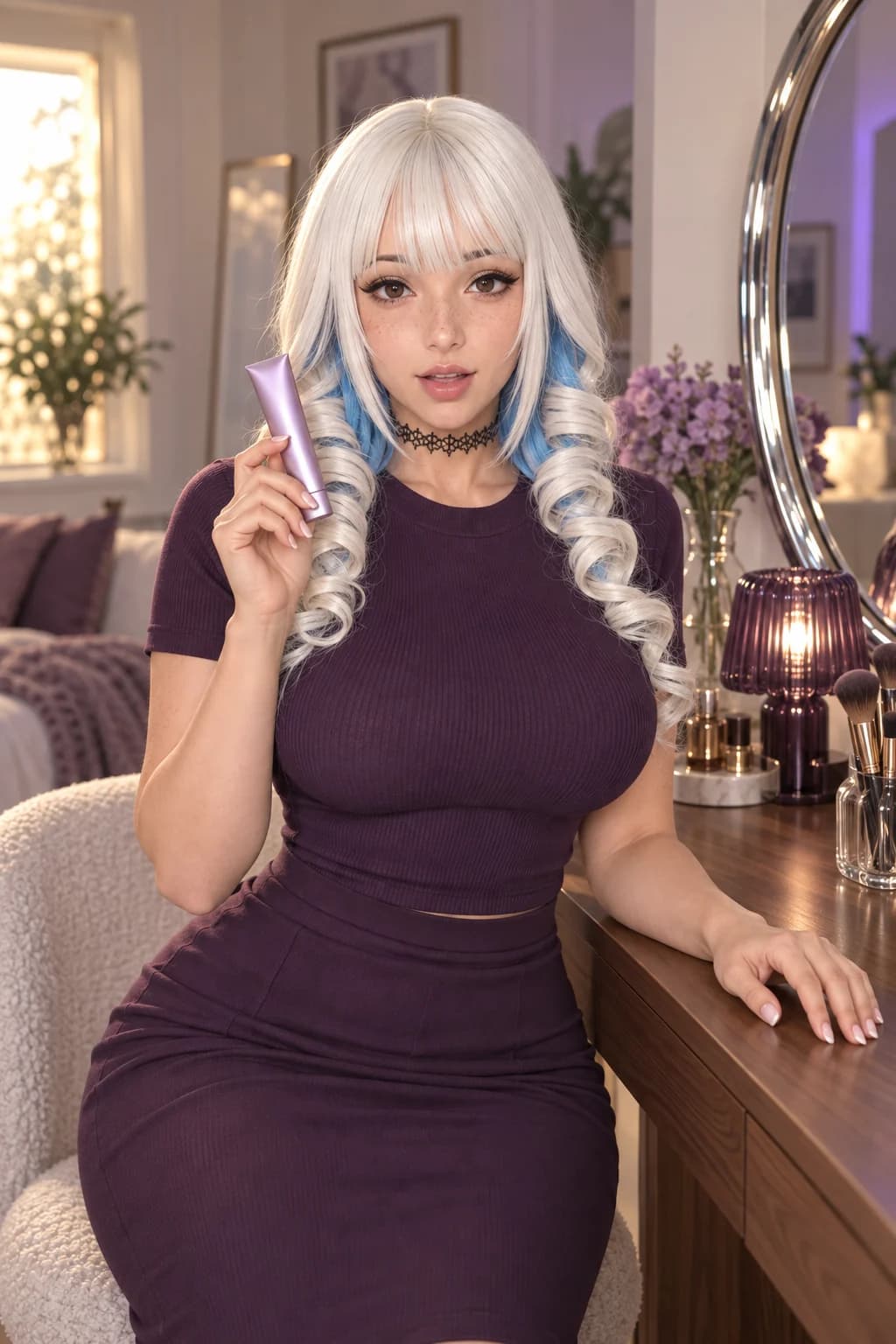
Adult AI beauty influencer with platinum and blue curls, wearing plum and holding a lilac cosmetic tube at a vanity
BEAUTY / THE PRODUCT INTRODUCTIONAI-generated concept image

AI UGC is generated creative in the style of creator-led social video. The presenter is an AI character. Use it for a product introduction, a styling idea or an editorial demonstration, and make that generated origin clear when you share it.

TWO CAMPAIGN DIRECTIONS

Make the product part of the story.

A beauty reveal and a streetwear detail need different framing. Start with a recognisable influencer, a readable product and one action the viewer can follow.

Platinum-haired AI influencer holding a closed lilac cosmetic tube beside her face
01

Beauty, at conversational distance.

The face and the tube share the frame. The free hand rests on the vanity, keeping the opening pose calm and leaving one clear movement to direct.

Read the creative direction

Use this image for the influencer, wardrobe, product and room. Keep the camera at eye level. The influencer brings the closed lilac tube slightly toward the camera, pauses, then returns it beside her face. Keep the cap closed and the product shape stable. Optional spoken line, where supported: “Here is a closer look at the packaging.”

What to check: Cap shape, finger contact and the space between the product and face. Keep spoken claims limited to visible or verified details.
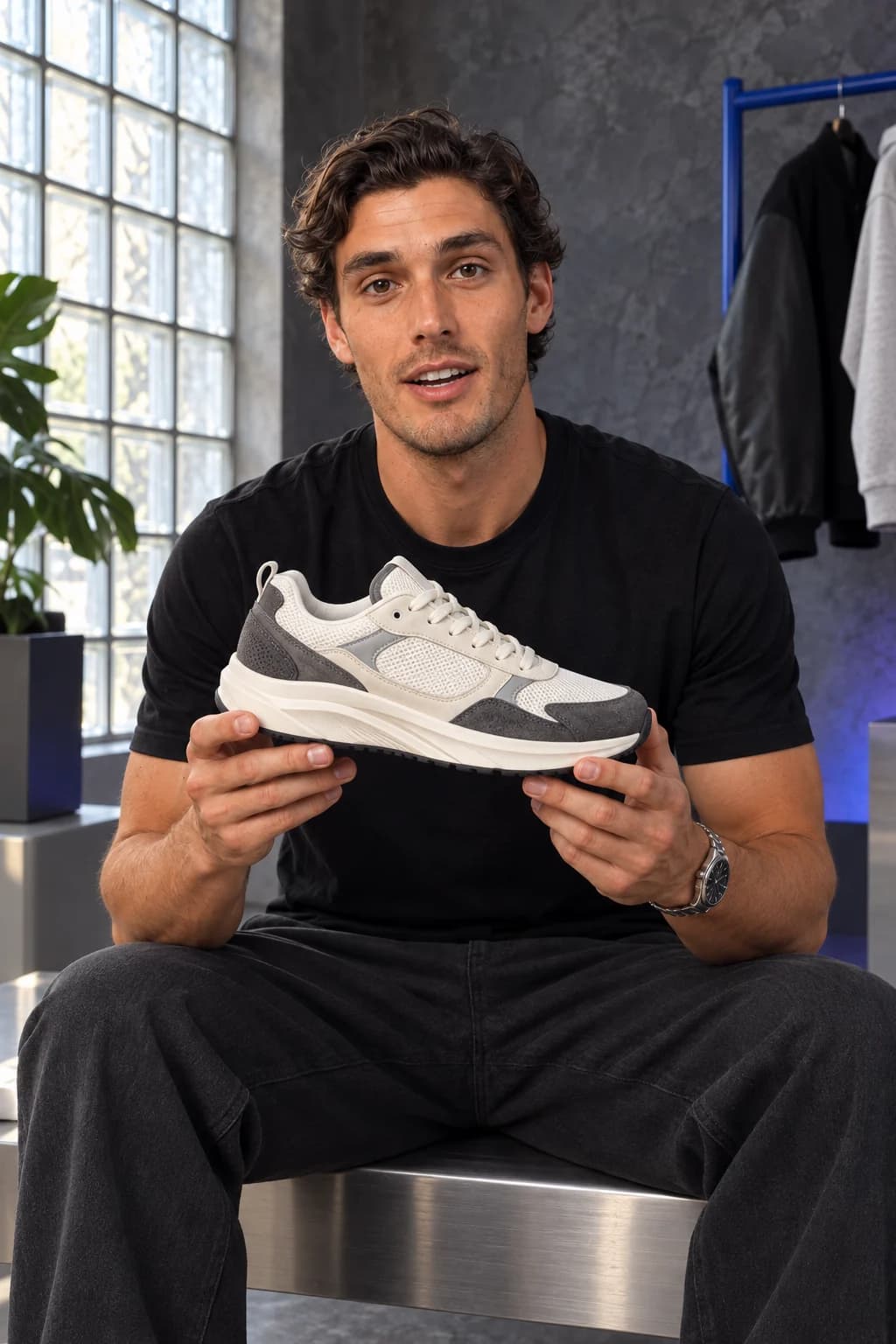
Athletic adult male AI influencer holding an ivory and graphite sneaker in a streetwear studio
02

Streetwear, with the details in view.

Two hands support the shoe so its side profile stays readable. The glass-block light reveals the mesh and panel edges without crowding the product with props.

Read the creative direction

Use this image as the opening frame. The influencer looks down at the sneaker, turns the toe slightly toward the camera, then looks back at the viewer while holding it still. Keep both hands supporting the shoe. One continuous shot with a fixed camera. Optional line: “Let’s take a closer look at the shape and details.”

What to check: The sole, lace path and material boundaries across the clip. A generated sample does not establish a real shoe’s performance or fit.

Illustrative artwork created outside FanPro for these creative studies. Product props are fictional. The briefs are starting ideas; results in FanPro depend on your inputs and selected Model.

WATCH THE EXAMPLES

A product. An opinion. A reason to watch.

Hear the beauty first look, then follow the sneaker review from the overall shape to its layered details. The two streetwear parts play together as one review.

0:15

A lilac first look.

A scripted AI beauty influencer presents a lilac cosmetic tube and comments on its colour and finish.

Read the transcript

So, this shade, it's a soft lilac, kind of a muted one, satin finish. Subtle, right?

0:27

One review. Every angle.

A scripted AI fashion influencer reviews a sneaker in two joined parts, moving from a charcoal studio to a plum setting for the second part.

Read the transcript

Right, let's actually look at this one. Ivory mesh through the upper, grey suede on the panels. You can see exactly where they meet. Cream sole, pretty chunky, and the stitching's clean the whole way around. Shape's the real thing, though. Look at that side profile. One more thing on this one, the panels aren't just stitched flat, they're layered. See that shadow line running through, that's where the depth comes from. Anyway, that's the shoe.

The sneaker review changes from a charcoal setting to a plum studio in its second part.

AI-generated creative examples. The newly supplied clips use image references and scripted dialogue; they were produced outside FanPro.

THE WORKFLOW

Build the frame. Then direct the moment.

01

Choose your AI influencer

Create or select a saved character. Decide on their styling, tone and setting before writing the shot. A beauty launch and a streetwear drop need different creative direction.

Create your character
02

Prepare a product-led image

Use the image tools to establish the creator, wardrobe and product in one finished still. Check the product shape, label and hands. The image-to-video input is this starting image; a separate product-reference upload is not assumed.

Build the starting image
03

Direct a short scene

Open Image to Video, add the finished image and describe one action. Choose the controls offered by the selected model. Include a short spoken line only when the mode supports audio.

Open the video workflow
04

Review the whole take

Watch the full video and listen to its audio. Check identity, product details, speech and the final frame. Refine one instruction at a time. Assemble multiple shots and finish captions in your chosen editing workflow.

Refine the motion

CHOOSE YOUR DIRECTION

Plan your first shot

An original planning example. Copy it into the studio and adapt it to your starting image. This planner does not generate a video or transfer settings.

Suggested spoken lineHere is the shade in daylight.

CHOOSE THE RIGHT START

A creator campaign starts with a creative decision.

Product introduction

Put the object in the opening frame. Choose one visible feature to show, such as the texture of a jacket or the stitching on a shoe.

Creator story

Give the influencer a specific point of view: an outfit reveal, a beauty setup or a behind-the-scenes moment. Keep the action easy to read on a small screen.

Campaign variants

Change the opening line, camera distance or setting one at a time. Compare the results against your brief before making a new variation.

REFINE THE NEXT TAKE

Keep the product and the performance believable.

The product changes shape
Start with a clearer image and reduce hand movement or rotation. Compare the result with the actual product. Regenerate or replace any inaccurate frame.
The scene feels overloaded
Separate the reveal, detail and close into individual shots. Do not expect one short generation to execute a complete edited ad.
The line sounds like a testimonial
Write a factual introduction or describe something visible. Do not invent purchases, personal results or a real customer experience for a generated presenter.

THE DETAILS, EXPLAINED

Your questions, answered.

FanPro provides character, image and video workflows. You prepare the creative brief and starting image, then direct the video. This page does not promise automatic URL-to-ad creation, product ingestion, campaign publishing or performance optimisation.

Keep creating

Your creator. Your product. Your next campaign.

Open Image to VideoFANPRO / IMAGE TO VIDEO