Give an original character a distinctive anime direction. Keep the hair, palette and personality recognisable while you explore linework, colour and scene design.
ANIME / AN IDENTITY REINTERPRETEDAI-generated concept image
An AI anime generator creates illustrated images from a written description. In FanPro, start in Text to Image and describe the character and visual style. To reinterpret an existing image, use Edit Image with a permitted reference.
A CAST WITH A VISUAL SIGNATURE
Beauty editorial. Cinematic streetwear.
Two illustration directions carry recognisable details from the photographic concepts into anime. Use the hair, wardrobe and palette as anchors, then judge the face and scene as a whole.
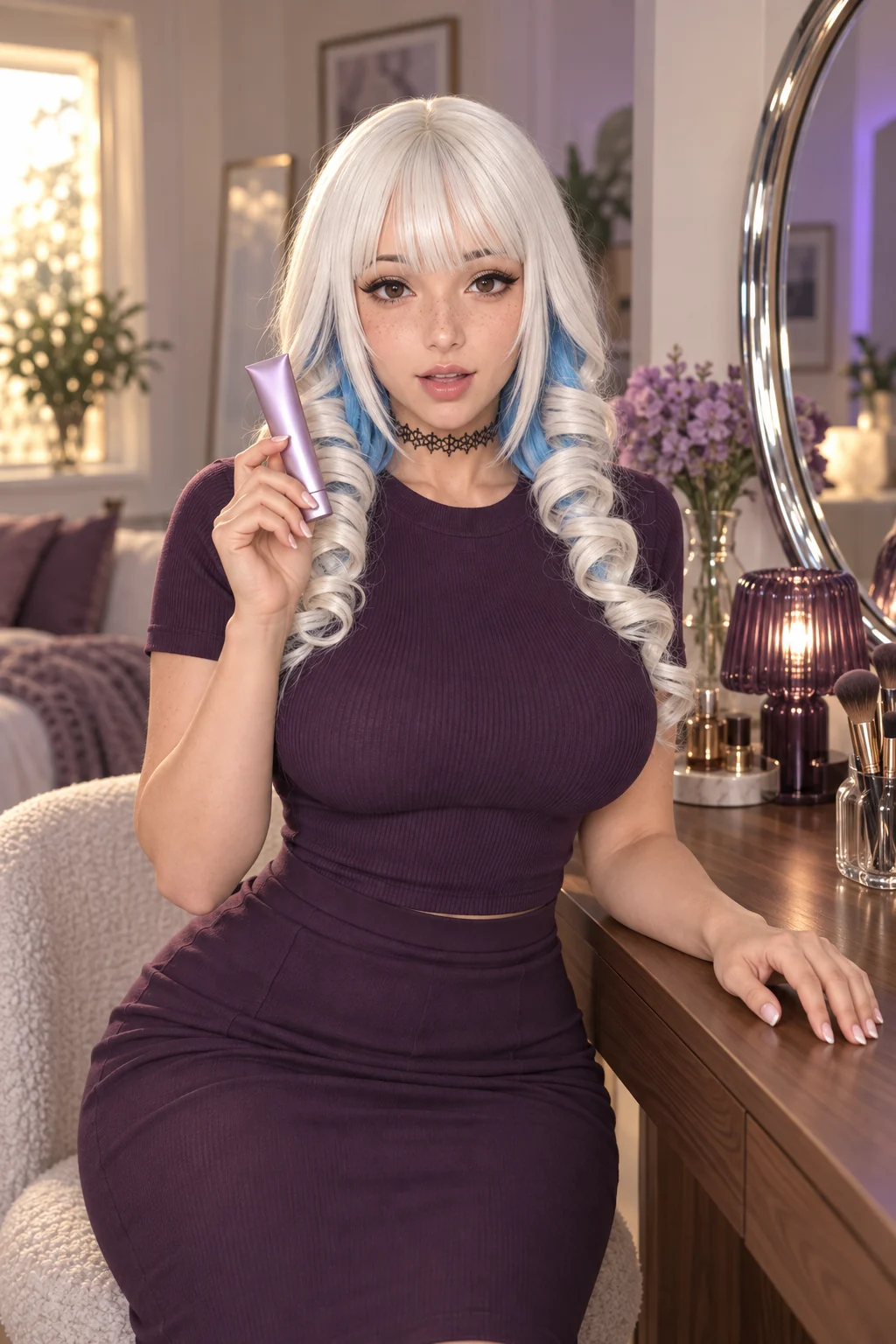
The platinum fringe, blue underlayers, freckles and plum outfit connect this illustration to its photographic direction. Fine linework and restrained shading keep the beauty scene readable.
Read the creative direction
Reinterpret the supplied adult influencer portrait as a contemporary anime beauty illustration. Retain the platinum fringe, blue curls, brown eyes, freckles, plum crew-neck outfit and closed lilac tube. Use elegant fine linework, restrained cel shading and soft lilac reflections. Keep a clearly adult face and the same seated composition.
What to check: Fringe shape, eye colour, product silhouette and hand placement. Similar colours alone do not establish identity consistency.
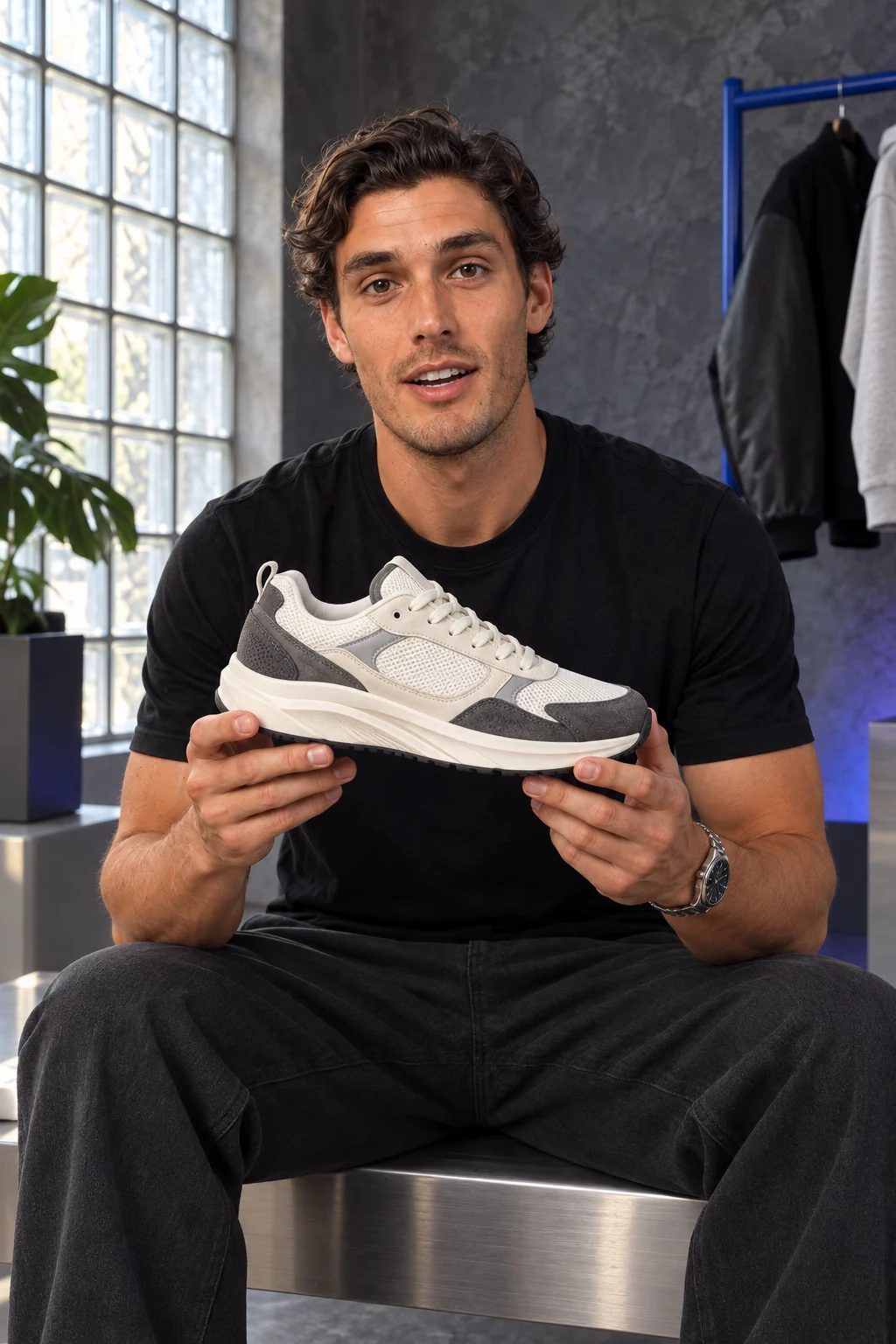
The dark swept hair, black tee, silver watch and sneaker remain the visual anchors. Stronger linework and cooler reflected light create a different illustration treatment.
Read the creative direction
Create a mature cinematic anime interpretation of the supplied male influencer. Retain his dark textured hair, warm brown eyes, subtle stubble, black tee, watch, seated pose and the ivory-and-graphite sneaker. Use confident cel shading, detailed hair and cobalt reflected light. Keep the full shoe visible in both hands.
What to check: Adult facial proportions, the shoe design, fingers and the clothing silhouette. Compare with the photographic concept before extending the series.
Illustrative artwork created outside FanPro for these creative studies. Product props are fictional. The briefs are starting ideas; results in FanPro depend on your inputs and selected Model.
WATCH THE EXAMPLES
Two styles. Two spoken performances.
A stylized beauty scene and a drawn streetwear influencer show different visual treatments for a spoken product moment.
0:15
Colour, finish and a point of view.
A stylized AI beauty influencer presents a lilac tube with expressive delivery and a bright visual treatment.
Read the transcript
This is the lilac one. Look at the finish on the tube, satin so it never smudges up, and the shade reads softer than it looks in here. That's it. That's the whole review.
0:12
An illustrated eye for detail.
An adult anime influencer turns an ivory-and-grey sneaker while describing the layered panels and visible detail.
Read the transcript
Ivory mesh, grey suede on the panels, and they're layered, not stitch-flat. See that line running through? Yeah, that's the bit people miss.
The beauty video uses a stylized realistic treatment; the streetwear video uses drawn anime. Compare the actual style as well as the voice and movement.
AI-generated creative examples. The newly supplied clips use image references and scripted dialogue; they were produced outside FanPro.
FROM IDEA TO FIRST RESULT
Build an identity before you build a series.
01
Write three identity anchors
Choose a hairstyle, colour palette and wardrobe cue. An adult female fashion influencer might have copper waves and an emerald blazer; a male lifestyle influencer might have dark curls and a cobalt jacket.
02
Describe the illustration
Ask for specific linework, shading and light. Keep the identity description stable while changing the visual treatment. These are prompt directions, not named FanPro presets.
03
Generate, compare, refine
Open Text to Image and choose a generation model and its available settings. For an existing portrait, switch to Edit Image and add the reference. Compare the result with the identity anchors before making more scenes.
Shape your creative brief
Keep the character. Change the art direction.
This is a planning tool. Copy your brief into the studio, add the required inputs and choose the available settings there. No generation or automatic transfer happens here.
WHAT TO LOOK FOR
Judge the character across the whole set.
Hair and silhouette
Check the parting, hair colour and distinctive clothing shape. A similar palette alone does not make two images the same character.
Age and expression
Keep characters clearly adult. Review facial proportions and expression in each interpretation rather than assuming a style change will preserve them.
A coherent series
Use the same identity description across a portrait, a wider scene and an action pose. Change one scene element at a time so you can see what causes drift.
THE DETAILS, EXPLAINED
The details, explained.
Use Edit Image with an image you have permission to adapt and describe the illustration you want. Treat it as an interpretation: the face, hair and wardrobe can change, so compare the output with your reference.
These examples use the existing Text to Image and Edit Image workflows. Describe the anime direction in your prompt; the style choices on this page help write that prompt.
Yes. Describe an original adult character, their appearance, clothing and scene. Give female and male characters equally specific identity cues instead of relying only on a style label.
The influencer page helps establish an identity. This page focuses on translating that identity into illustrated art and planning a connected set of anime images.


 View the photographic concept