FANPRO / AI MOTION CONTROL

Your influencer. A reference for the movement.

Separate appearance from action. Give Trend Replicate an image for the look and a permitted video reference for the motion.

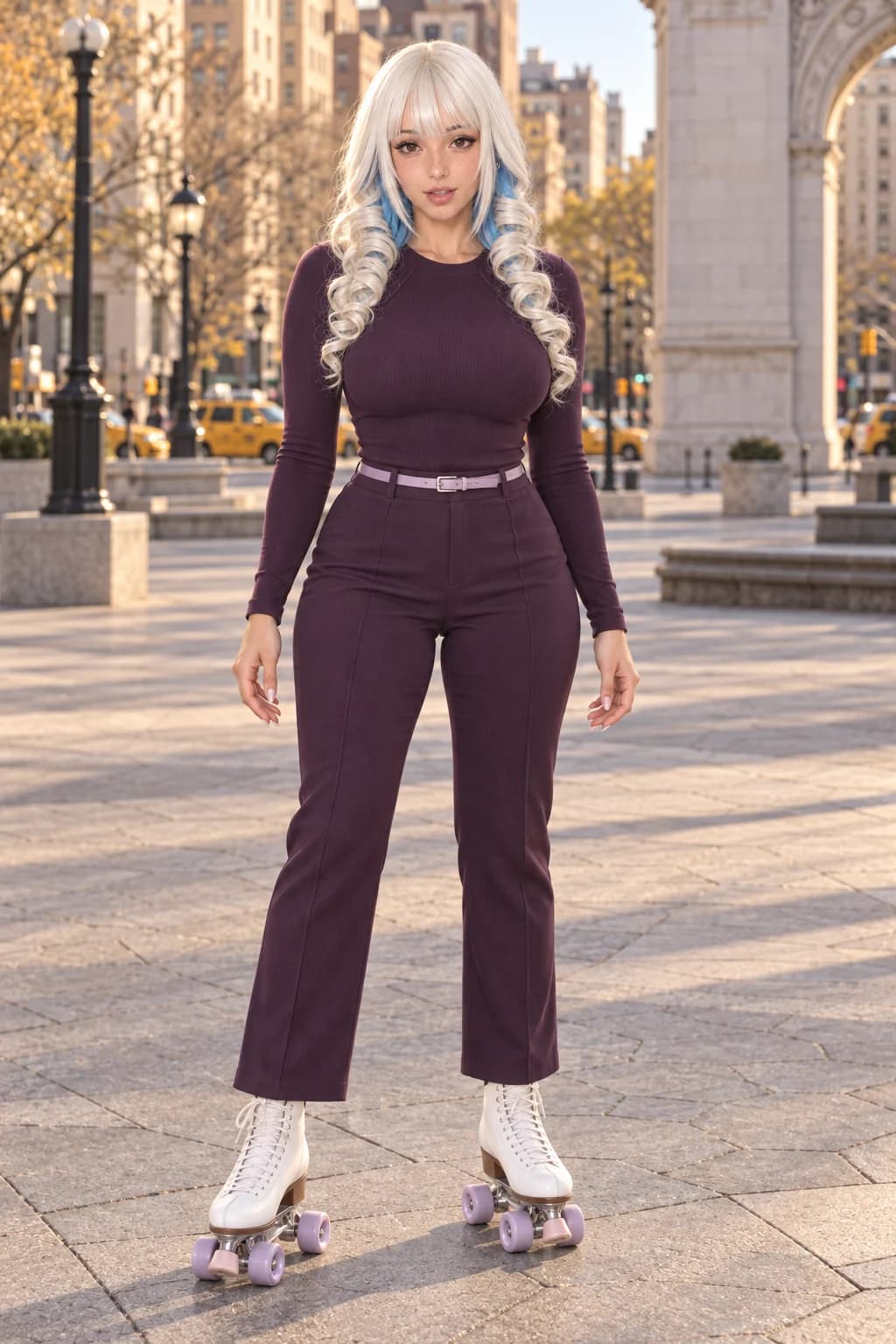
Full-body adult AI influencer on white roller skates wearing coordinated plum clothing
APPEARANCE / FRAMED FOR THE MOVEMENTAI-generated concept image

AI motion control uses a reference clip to guide movement in a generated video. FanPro’s Trend Replicate workflow combines image and motion-reference inputs, with a background choice where supported by the selected model.

MATCH THE FRAME TO THE ACTION

A full-body move needs a full-body reference.

A skating routine and a product gesture ask different things of an appearance image. Choose the framing that includes the joints, hands and objects the movement depends on.

Adult AI influencer standing in a balanced full-body skating pose in a city plaza
01

For movement through the frame.

The skates and hands remain visible, with space around the body. Pair an image like this with a permitted, similarly framed motion source and evaluate the actual adapted result.

Read the creative direction

Appearance brief: retain the platinum-and-blue hair, plum outfit, white quad skates and full-body framing. Choose a motion reference with one visible adult subject, a small weight shift and a gentle glide. Select the intended background source in Trend Replicate where the chosen Model supports it.

What to check: Reference compatibility. A close portrait cannot supply the same visible body and skate detail as this wider image.
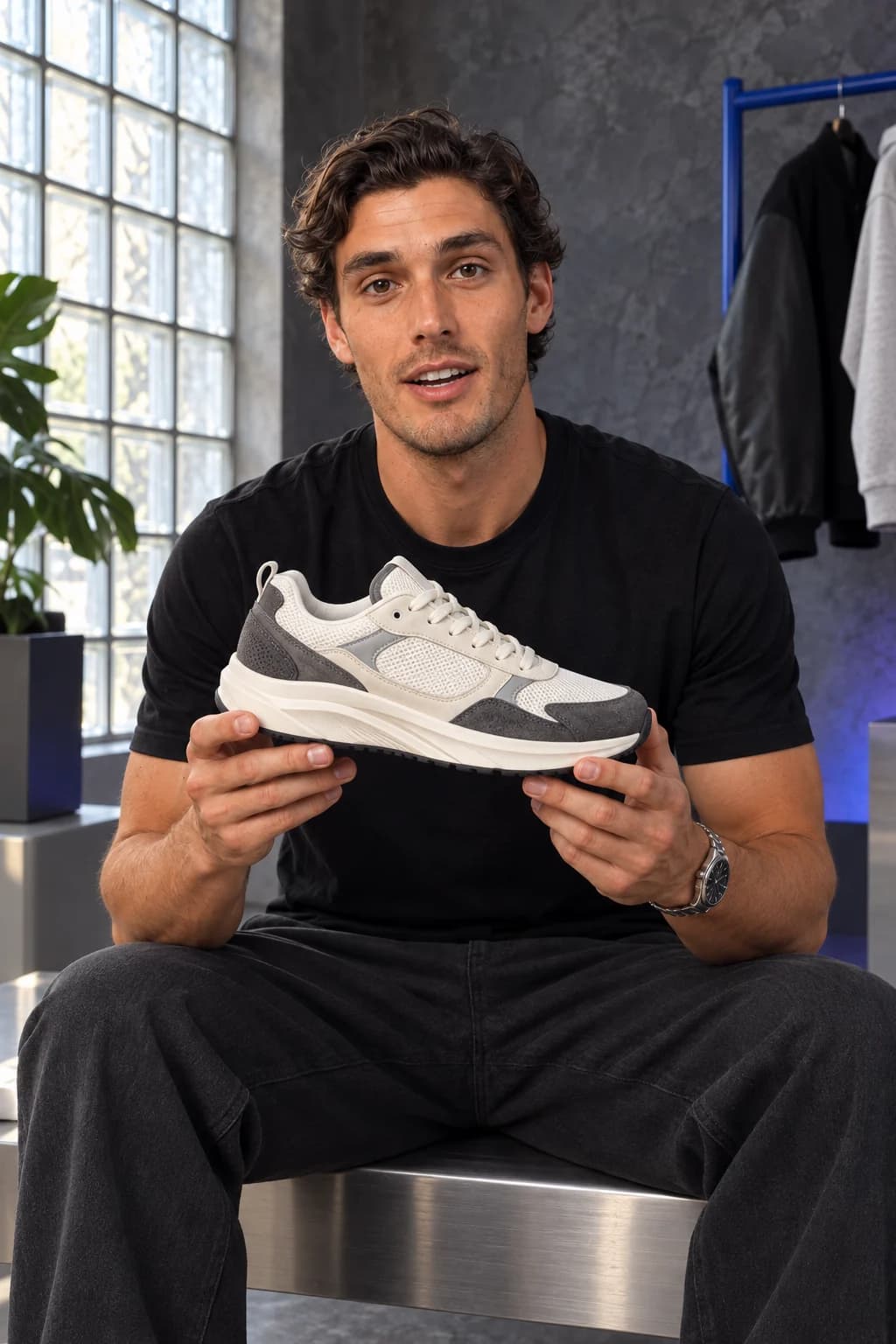
Male AI influencer supporting a sneaker in both hands in a seated medium shot
02

For a contained product gesture.

A seated frame is suited to a small hand movement. Keep the product visible in the appearance image and choose a reference action that does not hide it behind the hands.

Read the creative direction

Appearance brief: retain the male influencer, black tee, watch and two-handed sneaker hold. Motion brief: a small product turn followed by a steady hold. Use a permitted reference showing this gesture at a similar camera angle, then review the generated adaptation.

What to check: The motion source must suit the grip and framing. Do not treat a different dance clip as proof of this product gesture.

Illustrative artwork created outside FanPro for these creative studies. Product props are fictional. The briefs are starting ideas; results in FanPro depend on your inputs and selected Model.

WATCH THE EXAMPLES

Watch the action through the whole frame.

Compare two skating performances. Follow the weight shift, hands and wheels together, then notice how speech changes the pace of the newer scene.

0:15

An outfit made to move.

A scripted AI influencer in plum clothing skates across a sunlit plaza, speaking about the outfit as she moves.

Read the transcript

Okay, so plum on plum, but these are the stretch trousers, which is the only reason this works. Watch. Yeah, they actually move. If I can't skate in it, I don't buy it. Mostly.

0:15

Find your rhythm in the city.

A woman on roller skates dances along a city street lined with yellow taxis.

Read the transcript

Background audio without dialogue. A roller skater dances in a city street.

These are separate movement examples. They do not demonstrate transferring a reference video onto the supplied appearance image.

AI-generated creative examples. The newly supplied clips use image references and scripted dialogue; they were produced outside FanPro.

FROM IDEA TO FIRST RESULT

Give each reference a clear job.

01

Prepare the appearance image

Choose a clear, fully clothed adult influencer image with framing suited to the movement. A full-body turn needs a source that shows the relevant body and clothing.

02

Choose a permitted motion reference

Use a clip you own or have permission to adapt. Prefer one visible subject and one readable action, with the hands and relevant movement in view.

03

Set the background and review

Open Trend Replicate, add both inputs and check the selected model’s controls. Where Background Control Mode is available, choose the image or video source. Check the input-length limits shown for that choice before generating.

Shape your creative brief

Separate the look, motion and background.

This is a planning tool. Copy your brief into the studio, add the required inputs and choose the available settings there. No generation or automatic transfer happens here.

WHAT TO LOOK FOR

Watch the adaptation, frame by frame.

Framing mismatch

If the motion needs arms or legs that are outside the appearance image, prepare a wider source. Reference framing is part of the brief.

Occlusion and fast motion

Crossed arms, objects hiding the face and fast turns can be difficult to adapt. Try a clearer reference before adding more instructions.

Background and identity drift

Compare the chosen background source, face, clothing and movement with the result. Motion guidance does not guarantee an exact reproduction.

THE DETAILS, EXPLAINED

The details, explained.

Use Trend Replicate in the video studio. Its image and video inputs support reference-based motion; controls and limits vary with the selected model.

EXPLORE THE NEXT STEP

Keep the workflow moving

Open Trend ReplicateExplore the video workflowsPlan a product-led scene