FANPRO AI IMAGE GENERATOR

AI images.
A world of
your own.

Create AI images with a character, a point of view, and somewhere to go. Turn your prompts into portraits, lifestyle scenes and a whole camera roll of ideas.

REALISTIC · ANIME · YOUR IMAGINATION
FanPro AI character with two-tone hair in a pink FanPro outfit, photographed in a bright apartment
01 / A CHARACTER WITH PERSONALITY
An AI character in an iridescent fairy costume with friends at a convention
02 / A STORY TO TELL
An AI creator recording a video in front of a camera
03 / READY FOR WHAT’S NEXT
CREATE WITH
FanPro

FROM AN IDEA TO AN IMAGE

Three ways in.
Your direction throughout.

Start with words, an existing image or a visual reference. Choose the workflow that gets you closest to the scene you have in mind.

01 / TEXT TO IMAGE

Describe the scene.

Open Influencer Shot, choose your saved AI influencer and write the scene around them: the outfit, setting, pose and light. Let the selected character provide the identity.

Choose the available generation mode and aspect ratio, generate an image, then review the details before refining your prompt.

Start with an example prompt
02 / IMAGE EDITING

Take it somewhere new.

Have an image you want to develop? Add it to an image editing mode and describe the change. Explore a new wardrobe, setting or visual direction from an existing starting point.

Say what should stay, too. A focused instruction makes it easier to judge whether the new version matches your idea.

Explore image editing
03 / AUTOFRAME

Let a reference lead.

Bring reference images into AutoFrame, select your AI influencer and generate new scenes guided by their composition, lighting and pose.

AutoFrame regenerates the image with your character. It is a useful starting point for exploring a visual direction that is easier to show than describe.

Explore AutoFrame

INFLUENCER SHOT

A familiar face.
A fresh frame.

Your AI influencer is the starting point. Build a world around them with new outfits, everyday locations and different camera perspectives.

For a connected series, return to the same saved character. Keep a small set of visual details consistent and review every generation before choosing your final images.

Create your own AI influencer
The platinum-and-blue-haired AI influencer in an everyday portrait, with curled pigtails, freckles and a pale-blue top
THE EVERYDAY PORTRAIT
A related AI character look in a blue outfit in a bright kitchen
A NEW SETTING
AI character in a blue dress addressing a camera in a bright room
A CREATOR’S POINT OF VIEW

The first portrait is an illustrative image created outside FanPro using the filming scene as its identity reference.

WATCH THE EXAMPLES

The familiar face has something to say.

The blue-haired influencer moves from the everyday portrait into a spoken scene. Expression, voice and the apartment setting bring the character into focus.

0:12

The everyday version.

The platinum-and-blue-haired AI influencer speaks from a sofa in a bright apartment.

Read the transcript

Right, so this is the everyday version. No setup, no ring light, just the sofa and whatever the window's doing. This is what I actually look like on a Tuesday.

A supplied image-guided example based on the everyday portrait direction.

AI-generated creative examples. The newly supplied clips use image references and scripted dialogue; they were produced outside FanPro.

AI-generated male creator holding a black running shoe toward the camera
AI-GENERATED PRODUCT CREATOR EXAMPLE

AI UGC STARTS WITH A STRONG IMAGE

Put your creator
in the picture.

Build the opening frame for a product demonstration, a creator-style ad or a social story. Think about what the viewer should notice first: the character, the product or the action.

For a video-ready image, use a balanced pose, visible hands and enough room for the next movement. Review product shapes and small details before taking the image into video.

See AI UGC video examples

FROM IMAGE TO MOTION

Set the scene. Then let it move.

Your image establishes the character, wardrobe and world. A video prompt adds the next beat: a turn, a gesture or a whole new rhythm.

Follow this skating performance from the first move to the spoken finish. Leave room in your image for the hands, skates and direction of travel.

Explore more video ideas
Skating performance · Supplied image-guided AI video

ANOTHER WAY TO SEE IT

Realistic detail.
Anime imagination.

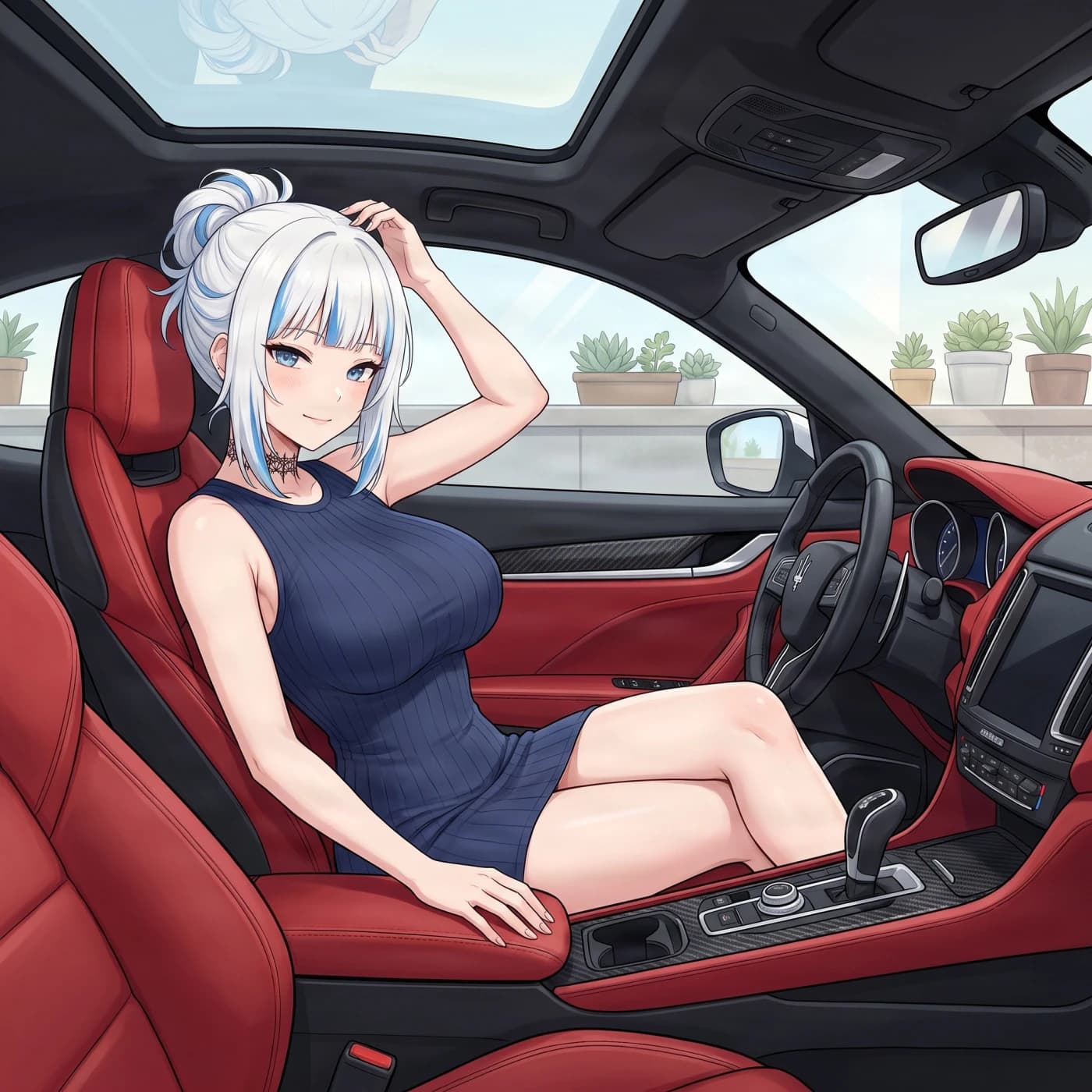
Your character does not have to look photographic. Create an anime character, choose an illustrated direction, and explore their scenes with the same care for composition, colour and story.

Explore your style
White-haired anime character in a car with red seats
Anime content creator with a ring light and phone in a pastel room

A LITTLE DIRECTION GOES A LONG WAY

The scene starts with your words.

Use a starting idea, make it your own, then take the prompt into FanPro Studio.

  1. 01

    Start with your character

    Select your saved influencer in the studio. Describe the scene around them.

  2. 02

    Make the light specific

    Try a window from camera-left or the overhead lights of a convention hall.

  3. 03

    Change one detail at a time

    Keep the parts you like. Refine the pose, setting or composition.

EXAMPLE PROMPT · EDIT TO MAKE IT YOURS320/1500
Open image studio

What You Can Build With FanPro’s AI Image Generator

FanPro’s AI image generation workflow is built for creators who want more than a one-off image. Use it to create, refine, organize and scale visual ideas into content that supports profiles, campaigns, characters and digital personas.

Start With the Visual You Want to Create

Every strong image starts with a clear creative target. FanPro helps you begin with the outcome, not the software. You can describe a scene, upload a reference, build from a character idea or experiment with a campaign concept.

A useful image prompt often includes:

  • The subject or character in the image
  • The setting, background or scene
  • The visual style, such as photorealistic or editorial
  • The lighting, mood and composition
  • The intended use, such as post, profile image, ad or thumbnail

The clearer the visual direction, the easier it becomes to create AI generated images that feel intentional.

Turn Text Prompts Into Finished AI Images

FanPro converts written descriptions into generated images. Creators can explore social visuals, lifestyle portraits and campaign concepts, then review and refine the results before adding them to a visual library.

Use Reference Images to Guide the Final Result

Visual references help communicate composition and appearance when a text description is not enough. Reuse clear identity and styling cues across a content series, and compare each result with the reference because generated details can vary.

Generate Fresh Concepts Without Starting From Scratch

FanPro allows you to rapidly explore diverse artistic directions without rebuilding your foundation from zero. Creators can effortlessly produce multiple variations for platform testing and content calendars, accelerating the transition from initial idea to final asset while retaining complete creative control over every single aesthetic choice.

Image Styles You Can Build With AI

FanPro’s AI image generation workflow supports a wide range of visual styles. You can create realistic images, stylized campaign visuals, polished product concepts and character-led visual content for different creator and brand needs.

The best style depends on the purpose of the image. A profile image may need clarity and identity consistency, while a campaign asset may need stronger mood, lighting and composition. FanPro gives you room to explore both.

  • Photorealistic AI Photos: Perfect for profile portraits, lifestyle content, and lifelike campaign visuals. This style delivers social-ready, authentic imagery that helps creators establish high-quality digital personas and credible personal branding.
  • Editorial and Fashion-Inspired Visuals: Ideal for making a bold creative statement using stylized poses, expressive lighting, and magazine-style framing. This approach lets you test high-fashion character aesthetics before launching a major campaign.
  • Product, Lifestyle and Campaign Images: Explore settings and compositions for advertisements, banners and product launches. Review the generated product shape, packaging and text against the real item before using an image.
  • Character-Led Visual Content: Develop image sets around original AI influencers and recurring brand characters. Use the same identity cues across the series and review each result for changes.

Build Images for Real Creator Workflows

FanPro is built for creators who need images that do something. The goal is not only to generate a nice picture. The goal is to create visual assets that support content plans, audience engagement, campaigns and repeatable production.

AI image generation can help with:

  • Social media posts and creator profile content
  • Ads, thumbnails and campaign visuals
  • AI influencer images and digital persona concepts
  • Brand assets, product shots and visual identity ideas
  • Image sets for ongoing content calendars

Social Media Posts and Profile Content

FanPro delivers swift, memorable AI images optimized for modern social media feeds. This eliminates the need for physical photo shoots, giving creators ultimate flexibility to effortlessly generate fresh aesthetics, experiment with distinct visual storytelling methods, and refine platform-specific content for channels like Instagram, TikTok, and YouTube.

Campaign Visuals, Ads and Thumbnails

Campaigns need a clear composition and a visible point of interest. Generate variations for advertising concepts, thumbnails and promotional visuals, then select the result that fits the brief and accurately represents the product.

AI Character Images for Ongoing Content

Character-led series depend on recognisable faces and styling cues. Keep the identity brief consistent while changing the scene, and inspect each image for changes in facial details, clothing and proportions.

Brand and Creator Assets for Repeat Use

FanPro establishes a permanent library of reusable visual assets, including core profile themes and polished character concepts. Instead of launching isolated creative experiments, brands can build an organized foundation of design ideas that streamlines future content planning and reinforces a powerful, unified brand identity across all media campaigns.

Why Choose FanPro Studio for AI Image Generation?

FanPro is not only an image generator. It is an AI creator platform built around visual content, digital personas, creator assets and social-first production. That makes it a stronger fit for creators who need images that connect to a bigger content strategy.

Choose FanPro when you want:

  • AI image generation built for creator workflows
  • Tools that support profiles, personas and visual identity
  • Image creation connected to wider content production
  • Image generation and prompt-based editing in one place
  • A platform designed for AI influencers and social creators

FanPro helps creators move from image ideas to repeatable visual systems.

Creators Love FanPro Studio AI Image Generator For:

Built for Creators, Not Just Designers

Many image tools are built around general design needs. FanPro is built around creators, AI influencers, visual storytelling and social content production. That changes how the workflow feels.

The platform is especially useful when your image is part of a profile, content series, campaign or digital persona. It helps you think beyond the single image and toward the larger content system.

Image Generation Connected to AI Influencer Creation

FanPro’s image generation connects naturally with AI influencer creation. You can use generated visuals to shape a persona, build character-led posts and support a more consistent creator identity.

This gives FanPro an edge over generic AI picture generator tools. It is not just about producing images. It is about helping creators build digital characters, social visuals and audience-facing content.

One Platform for Images, Videos and Creator Assets

FanPro brings image generation into a wider platform for AI visual content. The broader ecosystem includes creator profiles, AI video generation, assets, content workflows and community discovery.

That means an AI image can become part of something larger. A single generated image can support future video, profile content, marketplace assets, campaign visuals or a creator-led content system.

Faster Content Production Without Switching Tools

Tool-hopping slows creators down. FanPro helps reduce that friction by bringing image creation, refinement and broader creator workflows closer together.

This supports faster content production, stronger creative exploration and better visual consistency. Creators can move from idea to image to content asset without constantly switching platforms.

THE DETAILS, EXPLAINED

Your image questions, answered.

Create character portraits, lifestyle images, fashion concepts, social carousel images and visual starting frames for video. FanPro Studio brings text-to-image, image editing and character-based workflows into the same creative workspace.

YOUR NEXT FRAME IS WAITING

Make the image.
Build the story.

Open FanPro Image Studio