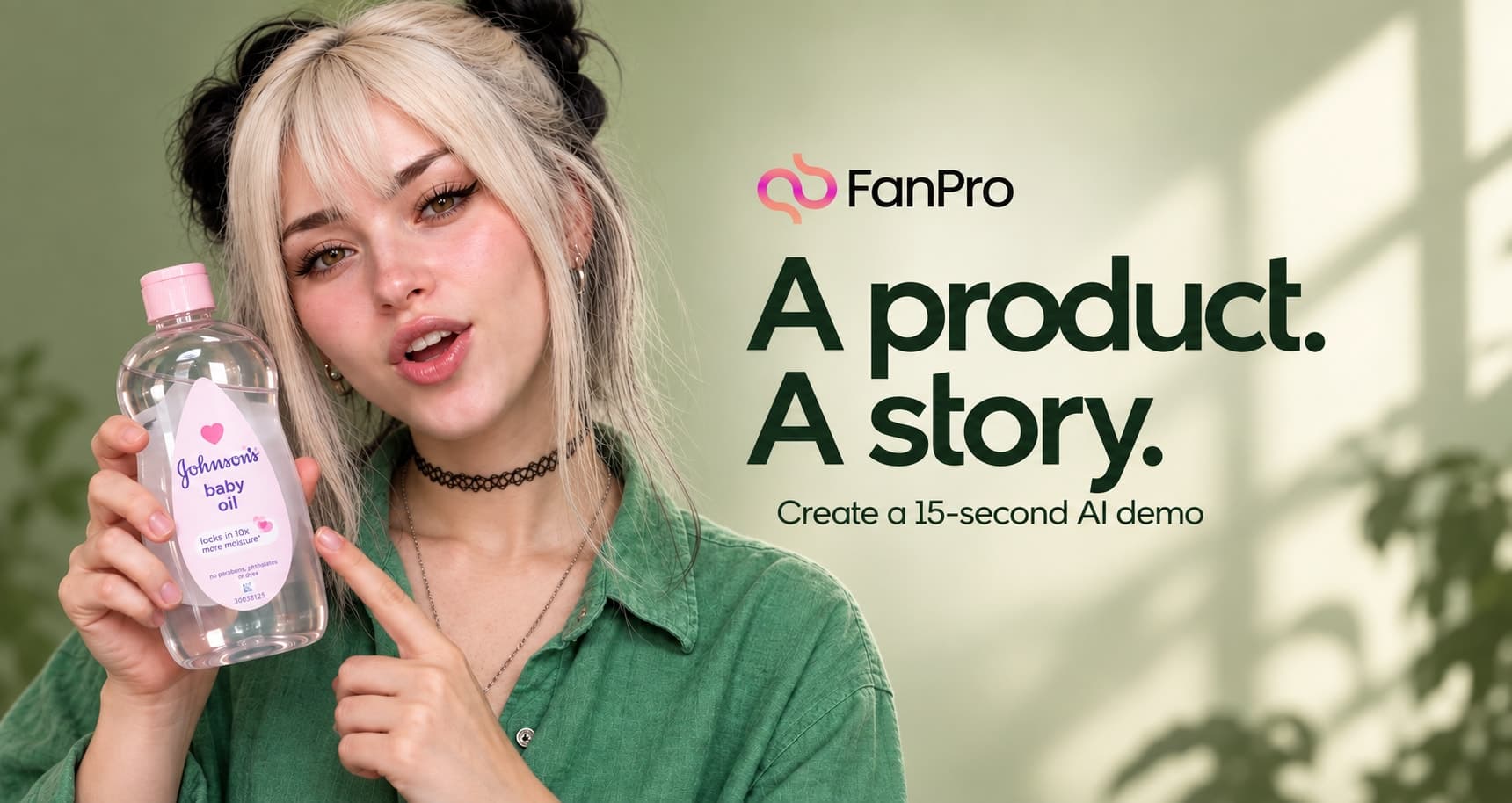

A short product demo needs a visible action. In this Studio Marketing example, an AI influencer introduces a bottle of baby oil, demonstrates a change in surface shine and ends with a brief comic sign-off. One reference image establishes the entire scene.
The creative lesson is how to keep a demonstration readable: a stable camera, a clear desk layout, specific hand movements and a defined end state. Below you can watch the supplied result, follow the Optimus setup and read the exact prompt used for the run.
Watch the supplied 15-second product demo
A fixed-camera Studio Marketing product-demo example
Read video description
An AI influencer wearing a green shirt sits behind a wooden desk. A baby oil bottle and an upright white-and-purple textured object are on the desk. She pours and spreads oil over the object, speaks to the camera and finishes with a cloth and a short sign-off. The camera remains facing the desk.
Use one reference to establish the entire scene
The opening reference supplies the influencer, outfit, bottle, upright object and bedroom. Because those elements already share a frame, the prompt can describe their roles without asking the generation to combine several locations. Keep enough space around the hands and desk for the demonstration to remain visible.
| Element | Direction in the prompt |
|---|---|
| Influencer | Preserve the face, platinum hair with black buns, freckles, necklaces and green shirt. |
| Oil bottle | Use the supplied bottle shape, label and pink cap. |
| Demonstration object | Keep its shape, white-and-purple surface and position; leave it standing on the desk. |
| Room | Keep the wooden desk, green walls, shelves, hanging clothes, bed and window daylight. |
| Camera | Use a static, propped-phone viewpoint from desk level to above the head. |
A single reference is useful when the opening pose already explains the action. It is less useful if the object is hidden or the hands are cropped out. Before writing a longer prompt, check whether the reference actually shows the important parts of your demonstration.
Choose Optimus and add your reference
- Open Marketing, then select UGC.
- Choose Optimus from the model selector.
- In Media → Image, add the reference and confirm its @img1 tag.
- Paste the full prompt below, including its character, prop and scene definitions.
- Choose the duration, resolution and aspect ratio for your intended placement, then generate.
Break the demonstration into four connected actions
| Prompt timing | Action | End state |
|---|---|---|
| 0–4 seconds | Continue the opening pour while introducing the demonstration. | Pouring stops and the surface begins to shine. |
| 4–8 seconds | Set down the bottle and spread the oil. | The bottle is on the desk and the hands finish at the base. |
| 8–11 seconds | Give one final wipe and deliver the short reaction. | The hands settle and the influencer looks at the camera. |
| 11–15 seconds | Use the cloth and finish the sign-off. | The influencer sits back with both objects still visible. |
The end state tells the next stage where to begin. Without it, several reasonable actions can compete: the bottle might remain in a hand that is also meant to be wiping, or the object might move when it is supposed to stay still. Name what is held, what is resting on the desk and what moves.
The scene asks for one stable viewpoint. You can still create variation through a look toward the lens, a pause in speech or a change in hand position. For a demonstration, this often communicates the action more clearly than adding camera moves at the same time.
Review movement, object consistency and framing
- Watch the contact between hands, bottle and demonstration object. Look for jumps or duplicated fingers.
- Check that the upright object keeps its shape, color and position throughout.
- Follow the bottle from the opening pour to its position on the desk.
- Compare the surface before and after the demonstration: the visible change should be understandable.
- Listen to the voice and pauses. A short script still needs enough time for each action.
- Confirm the actual aspect ratio and make sure the essential action fits your intended crop.
If the sequence becomes too busy, remove an action before adding more description. A shorter instruction such as “set the bottle down, then use the free hand” can be more useful than several simultaneous gestures. Keep the reference and output settings steady while testing that change.
The complete original product-demo prompt
The source prompt is reproduced below without changing its requested 9:16 format or scripted dialogue. It describes the intended run; the embedded video shows the actual output, including the landscape framing noted above.
Build your own demonstration from the same structure
Begin with a product action the viewer can see: opening a compartment, showing a finish, arranging an accessory or revealing a useful detail. Give the influencer a reason to perform that action, then end after the result is clear. The specific humor in this example is optional; the sequence works with an informative or understated delivery too.
For a brand brief, prepare the accurate product information and approved claims before generating. Use the prompt to direct the performance around those facts. Keep the first version short enough to review closely, then build variations from the parts that work.