How to Make AI Videos for TikTok: A 5-Step Guide
Learning how to make AI videos for TikTok involves more than entering a sentence into an AI video generator. Successful videos need a strong concept, a recognisable visual identity, controlled movement and an opening that gives viewers a reason to stop scrolling.
This guide explains the complete process in five practical steps based on FanPro Studio’s workflow. You will learn how to move from trend research to a finished, TikTok-ready video while keeping your AI character consistent across multiple posts.
What You Need to Make AI Videos for TikTok
You do not need professional filming equipment to create AI TikTok videos, but you do need a clear workflow. The strongest results normally combine an AI image generator, an image-to-video tool and a simple editing process for captions, audio and final formatting.
Before creating anything, prepare:
- A clear content idea or TikTok trend to adapt
- A defined AI character, product or subject
- A vertical source image with a strong visual composition
- A prompt describing movement, camera behaviour and mood
- A plan for captions, music, disclosure and publishing
FanPro Studio brings these stages into one AI creator platform. Our tools include consistent influencer images, text-to-image generation, image-to-video animation, text-to-video generation and Trend Replicate. Creators can also save prompts, models, presets and generations in an asset library for reuse.
Text-to-Video, Image-to-Video and AI Avatar Workflows
There are several ways to make TikTok videos with AI.
Text-To-Video
Text-to-video generates a clip directly from a written description. This can work well for abstract scenes, cinematic transitions or situations where precise character consistency is less important.
Image-To-Video
Image-to-video begins with a still image and adds controlled movement. This is often the better choice for AI influencer videos because the source image establishes the character’s face, clothing, environment and visual style before animation begins.
AI Avatar Workflow
An AI avatar workflow may also include scripted speech, voiceovers or lip sync. This format can suit explainers, product demonstrations and faceless TikTok content, but the avatar still needs expressive movement and a strong hook to avoid feeling static.
Unlock unlimited creativity with FanPro Studio's versatile AI workflows built for modern content creators
Start Creating AI Tiktok Videos ›How to Make AI Videos for TikTok in 5 Steps
The following process turns a broad idea into a repeatable AI video creation workflow. Each stage supports the next, so avoid rushing directly into animation before the character and source image are ready.
Step 1: Choose a TikTok Idea, Format or Trend
Start with the purpose of the video. Are you creating entertainment, a tutorial, a product showcase, a character story or a response to a current visual trend?
Review successful posts in your niche and look for formats that can be adapted rather than copied. Pay attention to:
- 1. What happens during the first two seconds
- 2. How quickly the viewer understands the concept
- 3. Whether the video relies on movement, dialogue or transformation
- 4. Which visual detail makes the post memorable
- 5. How the ending encourages a replay, comment or follow
The FanPro creator community can support this discovery stage by helping creators explore visual ideas and see how other AI characters are presented.
Choose one simple concept for each clip. Trying to combine a costume change, dance routine, camera orbit, location transition and product reveal in a single generation can create unstable results.
Step 2: Create a Consistent AI Character
Define your character’s face, hair, age, clothing, and tone before generating scenes. Using FanPro’s Influencer Studio lets you reuse this identity across different settings while maintaining a recognizable look.
Avoid changing every detail between prompts to preserve core features and modify only what’s needed for the current scene so your AI character looks like the same creator every time.
Step 3: Generate the Character’s Source Image
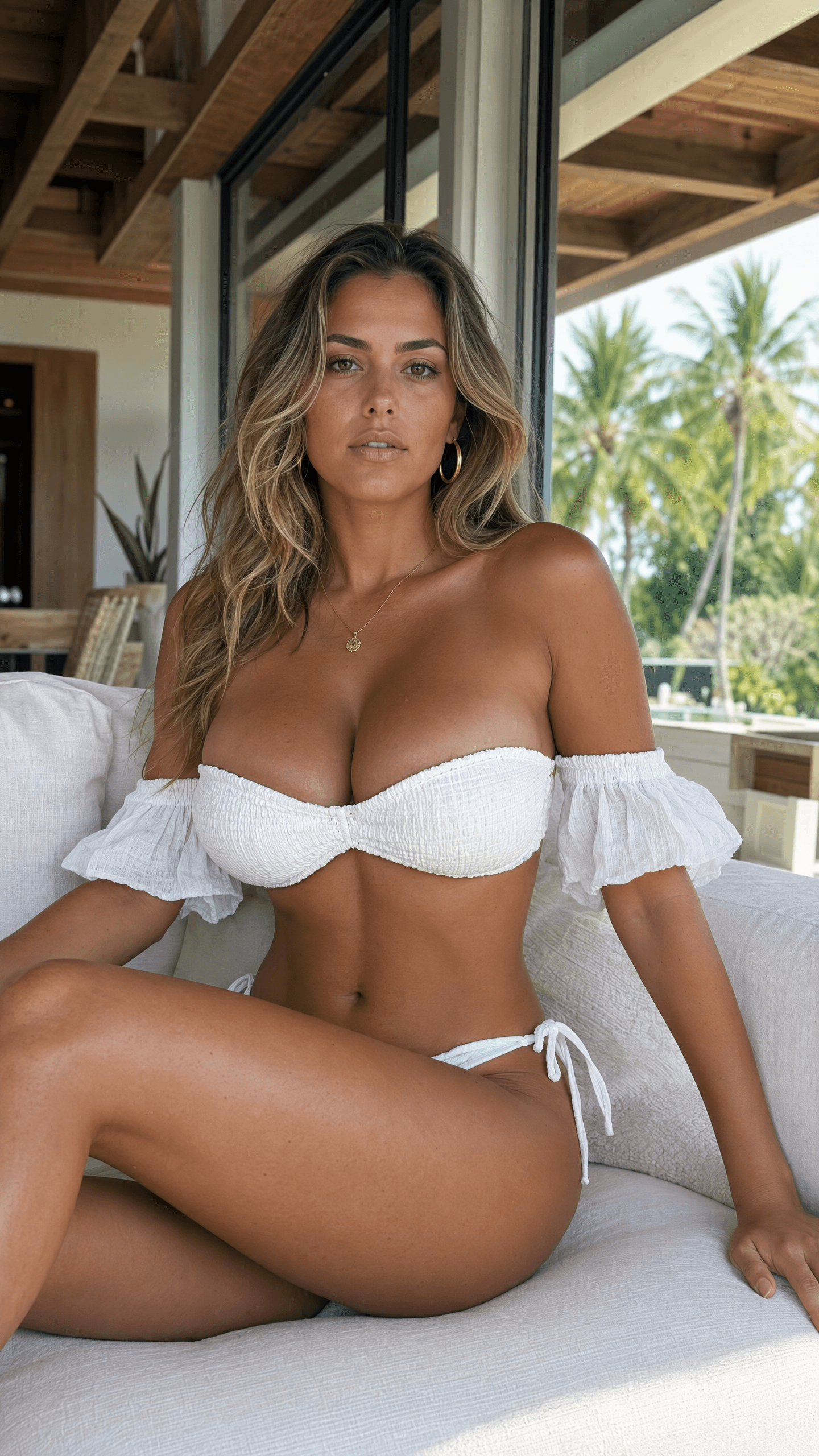
The quality of an image-to-video result depends heavily on the source image. Use an AI image generator to create a clear, vertical composition that already resembles the opening frame of the final TikTok.
A useful image prompt should cover:
- The character and defining physical features
- Clothing, accessories and expression
- The setting and background details
- Lighting, colour palette and visual style
- Camera angle and framing
- The action the character is about to perform
- A vertical, full-body or medium-shot composition
Generate several variations and select the image with the cleanest hands, facial features, clothing details and background. Upscale or edit the image before animation when necessary. Correcting problems at this stage is easier than trying to hide them after the image begins moving.
Step 4: Turn the Image Into a Video or Replicate a Trend
Upload the chosen source image to an AI video generator. Describe one main action, the intended camera movement and the mood of the clip.
A focused video prompt might say:
The character takes two steps towards the camera, turns slightly and smiles. Subtle handheld camera movement, realistic fabric motion, confident energy, cinematic lighting.
Specific constraints can improve control. Terms such as “subtle movement,” “fixed background,” “consistent face” or “slow camera push-in” help reduce unwanted changes.
FanPro also includes Trend Replicate, which is designed to direct character movement and actions. This creates a natural route for adapting popular TikTok movements while keeping the creator’s own AI persona at the centre of the video.
Generate more than one version. Creative testing helps you compare facial stability, motion quality and opening impact before committing to the final edit.
Step 5: Refine, Export, Label and Publish the Video
Review the generated clip frame by frame before posting. Check the face, hands, clothing, background and product details for distortion. Trim weak opening frames so the action begins immediately.
Complete the video by adding:
- Short, readable captions or subtitles
- Music, sound effects or a voiceover
- A text overlay that supports the hook
- A clear final frame or looping transition
- A caption and relevant TikTok hashtags
Export the video vertically in a widely supported format such as MP4. You can manage reusable images and videos in an asset library and organise AI videos and images as part of a repeatable posting workflow.
TikTok encourages creators to label content that has been completely generated or significantly edited using AI. It requires labels for AI-generated content containing realistic images, audio or video. Creators can turn on the AI-generated content setting from the posting options, and TikTok says using the label does not affect distribution when the content follows its Community Guidelines.
Bring your trend ideas to life seamlessly using the power of FanPro Studio today
How to Write Better AI Video Prompts
AI video prompts work best when they describe what should move and what should remain stable. Avoid long prompts filled with conflicting instructions.
A practical formula is:
Subject + action + setting + camera movement + mood + constraints
This structure gives the model enough direction without overloading it.
Include Subject, Action, Setting and Camera Movement
Begin by identifying the subject clearly. Then describe one main action, such as walking, turning, pointing or lifting a product.
Add the setting and camera behaviour. “A creator walks through a modern apartment while the camera follows from the side” is more controllable than “make an exciting lifestyle video.”
Finish with visual qualities and constraints:
- Realistic lighting
- Smooth, natural motion
- Fixed facial features
- Consistent clothing
- Minimal background movement
- Vertical TikTok composition
Camera instructions such as “slow push-in,” “locked camera” or “gentle pan” can help control the final video’s energy.
Test Prompt Variations Without Losing Character Consistency
Change one variable at a time. For example, keep the character, clothing and setting fixed while testing three different actions. This shows whether the motion prompt improved the result without introducing unrelated changes.
When a face becomes distorted, reduce the amount of movement and remove complex camera directions. When the background morphs, ask for a fixed environment. When an outfit changes, repeat its defining colours and materials in the prompt.
Negative instructions can also help, but keep them concise. Examples include “no facial distortion,” “no text in background” and “no clothing changes.”
Master your AI video prompts and maximize video performance with FanPro Studio's generation engine
Common AI TikTok Video Mistakes to Avoid
AI tools can speed up production, but weak inputs still produce weak content. Most disappointing results come from an unclear source image, overloaded movement prompt or poor TikTok formatting. Addressing these mistakes before publishing can improve visual consistency, audience retention and the overall credibility of your AI-generated videos.
- Starting with a weak or inconsistent source image: Blurred facial features, unclear hands, poor lighting and changing clothing details give the video model an unreliable foundation, increasing the risk of distorted or unrecognisable characters.
- Adding too much movement to one AI video prompt: Combining several actions, camera changes and background transitions can cause image morphing, unstable motion and visual artefacts. Focus each clip on one clear movement.
- Ignoring TikTok’s vertical format and safe zones: Horizontal compositions and edge-positioned text can be cropped or covered by the interface. Generate vertically and keep important faces, products and captions near the centre.
- Using a slow opening or weak hook: Viewers need an immediate reason to keep watching. Begin with movement, an unusual visual, a clear question or the result viewers will see by the end.
- Publishing generic AI content without refinement: Repetitive visuals, unreadable captions, unsuitable audio and missing AI-content disclosure can make a technically impressive video feel unfinished, impersonal or untrustworthy.
Bypass common creation mistakes and produce polished professional videos using FanPro Studio
Start Creating TikTok-Ready AI Videos With FanPro Studio
At FanPro Studio, we make creating viral AI videos effortless. Bring your creative vision to life with consistent digital influencers, dynamic scenes, and seamless workflows. Designed for TikTok, marketing and other social media platforms, our tools help you captivate audiences and grow your brand fast. Transform your content strategy and start creating with us today!